


 Github Stars:
 Last Commit:
  Created:


Overview:
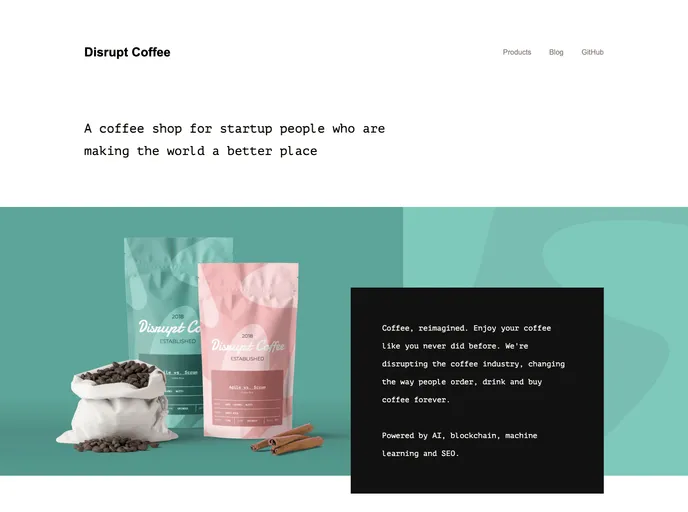
The Showcase: Nuxt.js + Prismic.io is a project that combines the Nuxt.js framework with the Prismic.io headless content management system. This project allows developers to create dynamic websites that are easily editable using Prismic.io’s content management capabilities. It supports various modes of Nuxt.js (ssr / spa / static generated) and provides features such as the Prismic Toolbar for quick editing and Prismic Preview mode for previewing changes before publishing.
Features:
- Based on @nuxtjs/prismic: Utilizes the @nuxtjs/prismic module which integrates Prismic.io with Nuxt.js.
- Support all different Nuxt.js modes (ssr / spa / static generated): Allows developers to choose the Nuxt.js mode that fits their project requirements.
- Display Prismic Toolbar to quick edit: Provides a toolbar for quick and easy content editing.
- Support Prismic Preview mode: Enables a preview mode to preview changes before publishing.
Installation:
To set up the project, follow these steps:
- Install the dependencies:
npm install
- Update the config:
// nuxt.config.js
module.exports = {
  modules: [
    '@nuxtjs/prismic'
  ],
  prismic: {
    endpoint: 'YOUR_PRISMIC_API_ENDPOINT' // Update with your Prismic API endpoint
  }
}
- Update the link-resolver.js:
// link-resolver.js
export default function (doc) {
  if (doc.isBroken) {
    return '/not-found'
  }
  if (doc.type === 'page') {
    return '/page/' + doc.uid
  }
  return '/'
}
- Start the development server:
npm run dev
- Open your browser and go to http://localhost:3000 to view the project.
For production deployment, you can either use a Nuxt.js server or upload the ./dist/ directory to a static hosting provider.
Summary:
The Showcase: Nuxt.js + Prismic.io project combines the power of Nuxt.js and Prismic.io to create dynamic websites with easy content management capabilities. It provides support for different Nuxt.js modes, includes features such as the Prismic Toolbar and Preview mode, and offers easy installation and deployment options. This project is an ideal choice for developers looking to build flexible and editable websites.

















