


 Github Stars:
 Last Commit:
  Created:
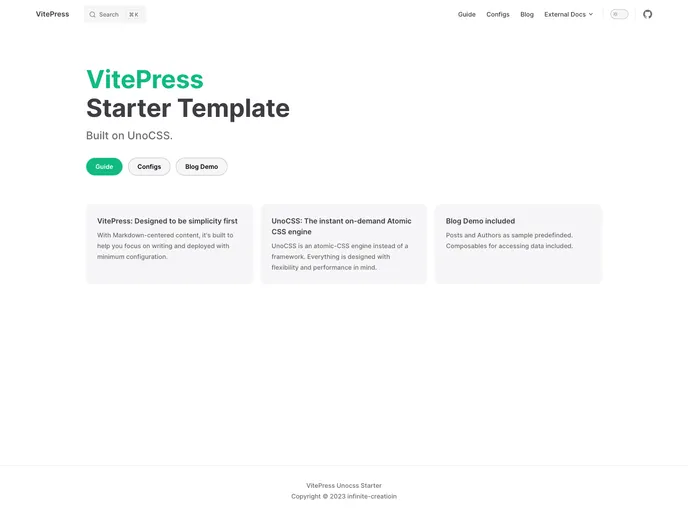
Overview:
Vitepress Unocss Starter is a powerful and versatile theme for building static websites. It is a combination of Vitepress, a lightweight Vue-powered static site generator, and Unocss, a utility-first CSS framework. This theme provides developers with a seamless and efficient way to create modern and responsive websites.
Features:
- Vitepress: A fast and minimalistic static site generator powered by Vue.js.
- Unocss: A utility-first CSS framework that allows easy customization and styling of the website.
- Flexible and modular: Vitepress Unocss Starter provides a modular architecture that allows developers to easily add and remove components as per their requirements.
- Responsive design: The theme is designed with responsiveness in mind, ensuring that websites created with Vitepress Unocss Starter look great on all devices.
- Optimized build process: Vitepress Unocss Starter leverages the power of Vite to provide a blazing fast build process, enabling developers to quickly iterate and deploy their websites.
- SEO-friendly: The theme includes built-in support for SEO optimizations, making it easier for search engines to crawl and index the website.
- Developer-friendly: Vitepress Unocss Starter comes with a range of developer-friendly features, such as hot-reloading, code syntax highlighting, and a flexible configuration system.
Installation:
To install Vitepress Unocss Starter, follow these steps:
- Ensure that you have Node.js and npm installed on your machine.
- Create a new directory for your project and navigate into it.
- Initialize a new npm project by running the following command in your terminal:
npm init -y - Install Vitepress and Unocss as dependencies by running the following command:
npm install vitepress unocss - Create a new file named
vite.config.jsin the root directory of your project and add the following content:import { defineConfig } from 'vite' export default defineConfig({ // Add your configuration here }) - Create a new directory named
.vuepressin the root directory of your project and navigate into it. - Create a new file named
config.jsin the.vuepressdirectory and add the following content:module.exports = { // Add your configuration here } - Your project structure should now look like this:
. ├── .vuepress │ └── config.js ├── node_modules ├── vite.config.js └── package.json - Finally, you can start your Vitepress development server by running the following command:Your website should now be accessible at
npm run devhttp://localhost:3000.
Summary:
Vitepress Unocss Starter is a powerful theme that combines the features of Vitepress and Unocss to provide developers with a flexible and efficient solution for building static websites. Its modular architecture, responsive design, and optimized build process make it a versatile choice for creating modern and performant websites. With its developer-friendly features and seamless integration with Vitepress and Unocss, Vitepress Unocss Starter offers a seamless development experience for developers of all skill levels.

















