


 Github Stars:
 Last Commit:
  Created: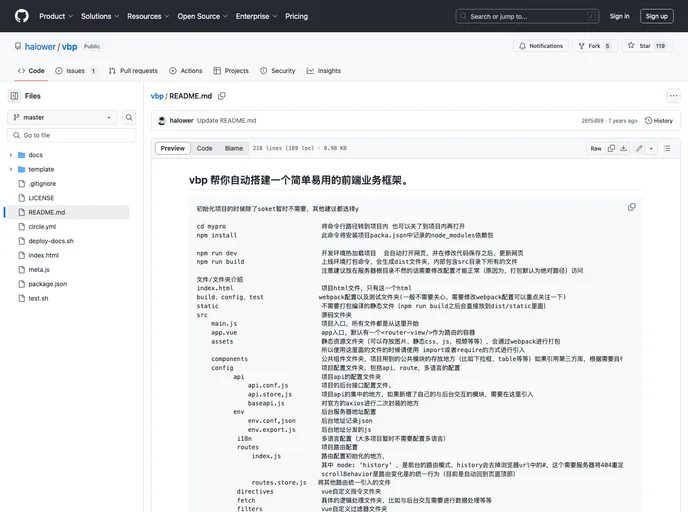
Overview
The vbp (“Vanilla Business Platform”) is a front-end business framework that aims to simplify the process of building business applications. It provides a set of tools and features that help developers create and manage components, configurations, services, routes, directives, pages, languages, and store states.
Features
- Components: The
/componentsfolder is where reusable components are stored. Components are identified by their ability to be reused across different modules. - Configurations: The
/configfolder contains configuration files such asapi.conf.jsandservice.conf.js. These files centralize the management of backend request addresses and service configurations. - API Store: The
/api.store.jsfile serves as the entry point for all business requests. It separates the HTTP-related logic from the page components, reducing the complexity of the pages. - Base API: The
/fetch/baseapi.jsfile acts as the base class for all service objects. It includes the request address proxy and a unified request entry point for various HTTP methods. - Routes Store: The
/routes.store.jsfile serves as the central management center for routes. It combines and consolidates routes from different modules. - Directives: The
/directivesfolder handles global directives by using theVue.directivefunction to extend the project’s directive set. - Fetch: The
/fetchfolder separates data processing and logic operations from the pages, reducing the coupling between services and pages. - Pages: The
/pagesfolder contains the pages of various business modules. Each page can be independently configured with its own business route. - Languages: The
/languagesfolder allows for the addition of translation groups based on different business needs. It facilitates organization and the inclusion of different language types. - Store: The
/storefolder provides centralized management of project states. It reduces the inconvenience of event handling, especially in complex interactive projects.
Installation
To use vbp, follow these steps:
- Clone the vbp repository.
- Set up the necessary folder structure according to the instructions provided in the documentation.
- Install the dependencies using a package manager such as npm or yarn.
- Configure the necessary files such as
api.conf.jsandservice.conf.js. - Import and use the desired modules, components, and services within your project.
- Follow the provided guidelines and conventions for organizing and managing your project.
Summary
The vbp framework provides developers with a simplified and organized approach to building front-end business applications. It offers features such as component management, configuration centralization, service separation, route management, directive handling, and state management. By using vbp, developers can streamline their development process and ensure a clean and modular codebase.

















