


 Github Stars:
 Last Commit:
  Created:

Overview
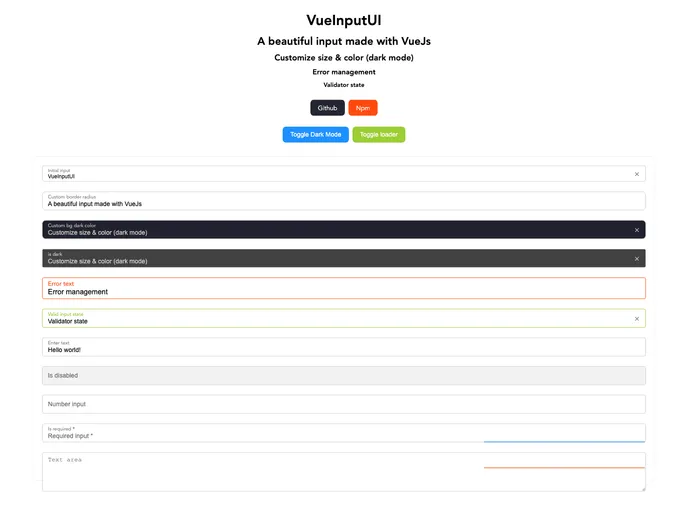
If you’re looking for a stylish and functional input component made with Vue.js, then vue-input-ui might be just what you need. This library provides a beautiful and user-friendly interface for various input types that can enhance any Vue application. With an array of customizable features, it’s designed to meet diverse user needs while offering an effortless installation and setup process.
Vue-input-ui is not only aesthetically pleasing but also highly versatile, catering to different use cases, whether you need a simple text input or a more complex textarea. Its flexibility allows developers to easily incorporate it into projects, making it a practical choice for enhancing user interaction.
Features
Multiple Input Types: Choose from various types including text, number, and textarea, allowing for greater flexibility based on user requirements.
Customizable Size Options: Available in small or large sizes, you can select the right fit for your layout and design aesthetic.
Color Customization: Set a HEX color for the input component to match your application’s theme or brand identity.
Hint Text Support: Provide users with guidance through hint text, helping them understand the intended input format.
Error Handling: The boolean error prop allows you to display error states, enhancing user experience by indicating input validation issues clearly.
Dark Mode Compatibility: Implement a dark mode with custom dark color options, ensuring accessibility and visual comfort in low-light environments.
Clearable Input: Users can easily clear their input with a simple click, improving usability and interaction.
Loader Option: Enable a loader feature for cases where background processes occur during input submission, keeping users informed and engaged.

















