


 Github Stars:
 Last Commit:
  Created:


Overview
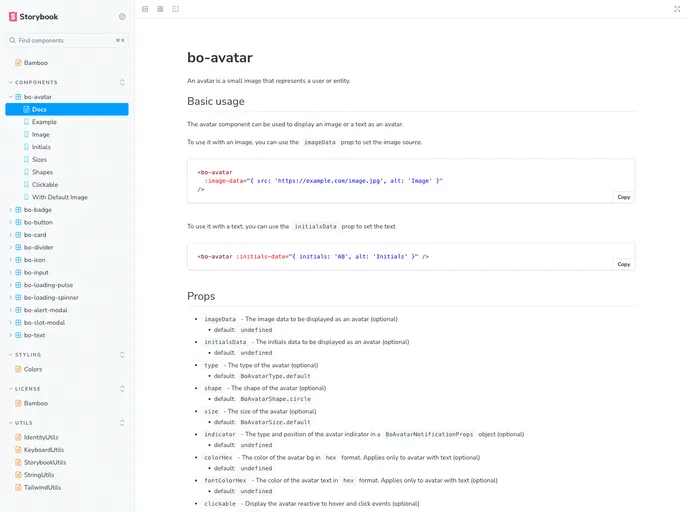
Bamboo is a lightweight and flexible UI Library built with Vite and Vue 3. It provides a collection of components that can be easily integrated into your Vue projects. The documentation for Bamboo is created using Storybook, making it easy to understand and customize the components.
Features
- Lightweight and flexible UI Library
- Built with Vite and Vue 3
- Documentation created with Storybook
- Easy component integration into Vue projects
- Production-ready builds for components and documentation
- Unit and snapshot testing with Vitest
- Linting and formatting with ESLint and Prettier
- Released under the MIT license
Installation
To install Bamboo, follow these steps:
Make sure you have Node.js and npm installed on your machine. If not, download and install them from here.
Clone the Bamboo repository to your local machine using the following command:
git clone <repository_url>Change to the project directory:
cd bambooInstall the project dependencies by running the following command:
npm installTo start the development server and view the documentation, run the following command:
npm run documentationOpen your browser and go to http://localhost:6006 to view the Bamboo documentation and explore the components.
To build the components for production, use the following command:
npm run buildThe production-ready components will be generated in the
distfolder.To build the Storybook documentation for production, run the following command:
npm run build:storybookThe static files for the Storybook documentation will be generated in the
docsfolder.If you want to run unit tests, execute the following command:
npm run test
- To run the linter and fix any formatting issues, use the command:
npm run lint
Summary
Bamboo is a lightweight and flexible UI Library built with Vite and Vue 3. It offers a range of components that can be easily integrated into Vue projects. Its documentation is created with Storybook, providing a user-friendly interface to explore and customize the components. Bamboo also supports production-ready builds, unit testing, and linting for a smooth development experience. The project is released under the MIT license, allowing for free distribution and modification.

















