


 Github Stars:
 Last Commit:
  Created:


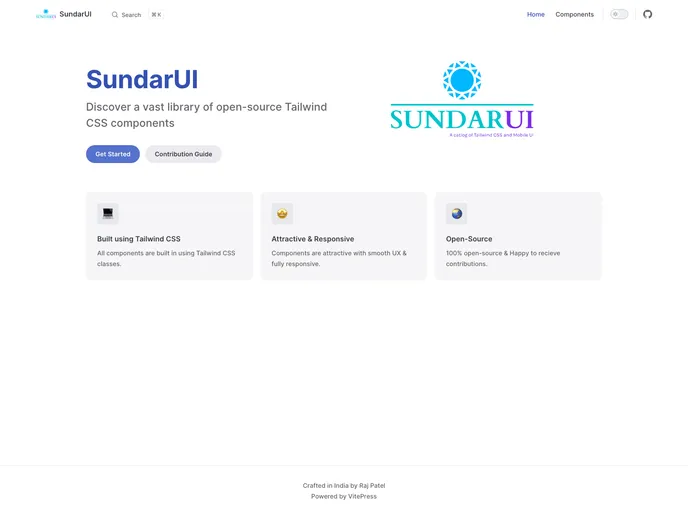
SundarUI is a library of prebuilt user interface (UI) components that can be easily integrated into web projects. With a variety of visually appealing and functional components such as buttons, forms, and modals, Sundar UI aims to streamline development, save time and effort, and improve consistency and accessibility.
Key Features:
- Comprehensive component library: Sundar UI offers a wide range of prebuilt components for both Tailwind CSS and mobile applications, covering common UI elements like buttons, forms, and navigation.
- Customization options: Users can customize Sundar UI components to better suit their specific needs. The library provides customization options such as color schemes, allowing users to make the components their own.
- Code snippets: Sundar UI provides code snippets for each component, making it easy for users to integrate them into their existing projects.
- Documentation: Clear and concise documentation is provided for each component, helping users effectively use and customize them with examples.
- Responsive design: All Sundar UI components are fully responsive and mobile-friendly to ensure compatibility with different devices.
- Support for multiple libraries: In addition to Tailwind CSS, Sundar UI also supports other popular libraries like React.js, Vue.js, and HTML5, making it useful for a variety of projects.
Installation:
To get started with Sundar UI, follow these steps:
- Visit the Sundar UI website at https://sundar-ui.netlify.app/.
- Explore the collection of prebuilt components and browse their examples.
- Choose the components you want to use in your project, filtering them by category or searching for specific components.
- Copy the code for the chosen component from the provided example.
- Paste the code into your project’s HTML or XML/XSL file.
- Customize the component using Tailwind CSS or XML/XSL to fit your specific needs.
- Test your project to ensure the components function correctly.
Summary:
Sundar UI is a versatile library of prebuilt UI components that aims to simplify web development by providing visually appealing and functional elements. With a comprehensive component library, customization options, code snippets, and clear documentation, Sundar UI allows users to easily integrate and customize these components in their projects. The responsive design and support for multiple libraries make it a valuable tool for developers looking to enhance the user experience of their web applications.

















